BUILT AROUND YOUR WATER DAY
Out there.
All together.
Your speed at a glance. Your iPad at the helm. Your people on the map. Gillby brings the details together so you can make more of the day.
Native Apple & Android apps coming soon.
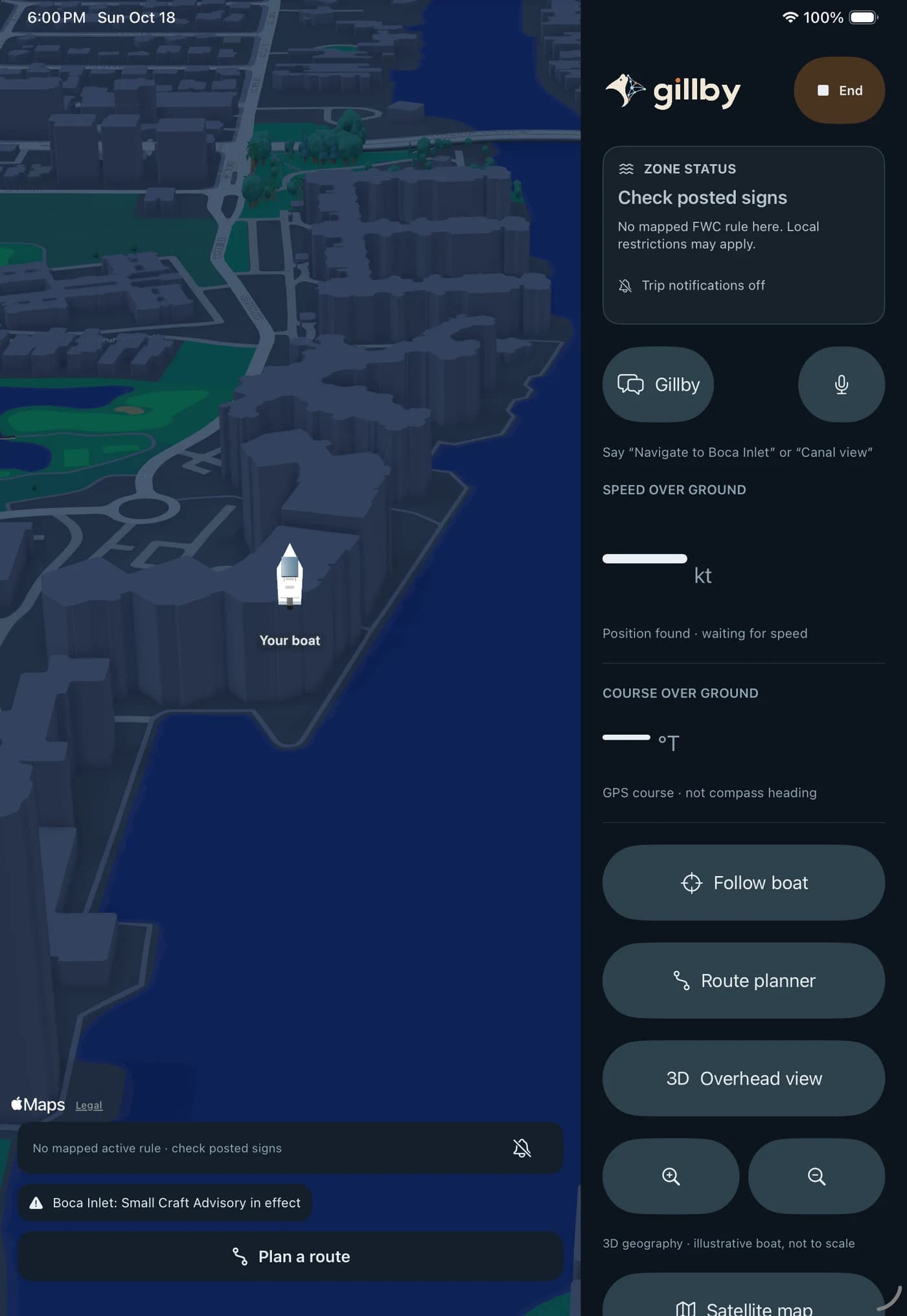 IPAD HELM · COMING SOON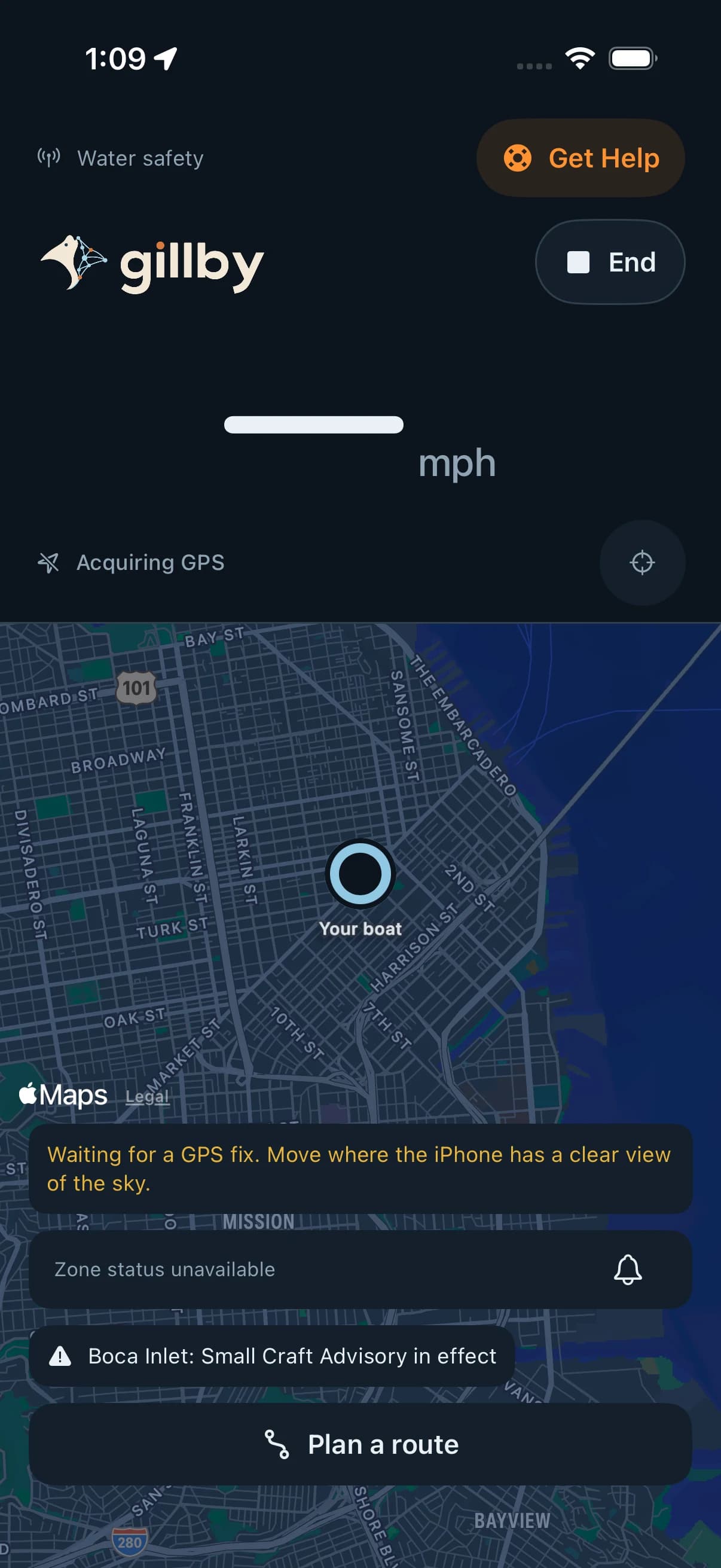
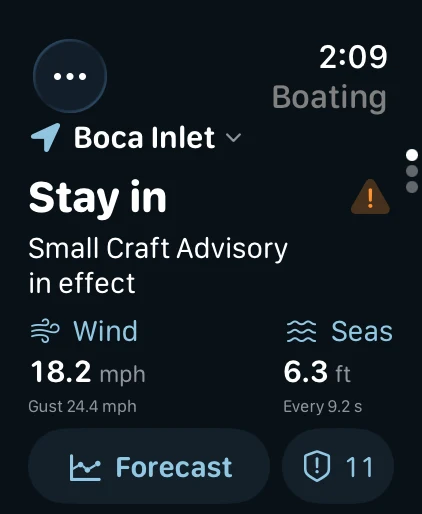
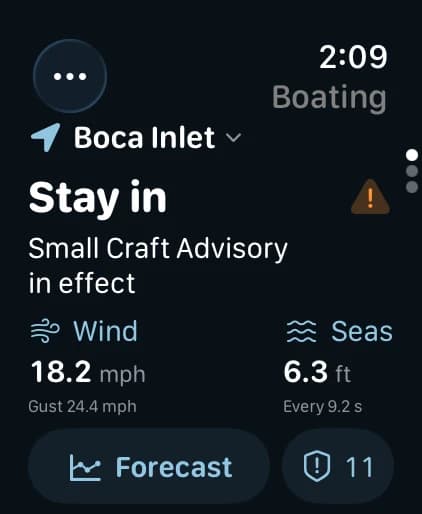 ON YOUR WRIST
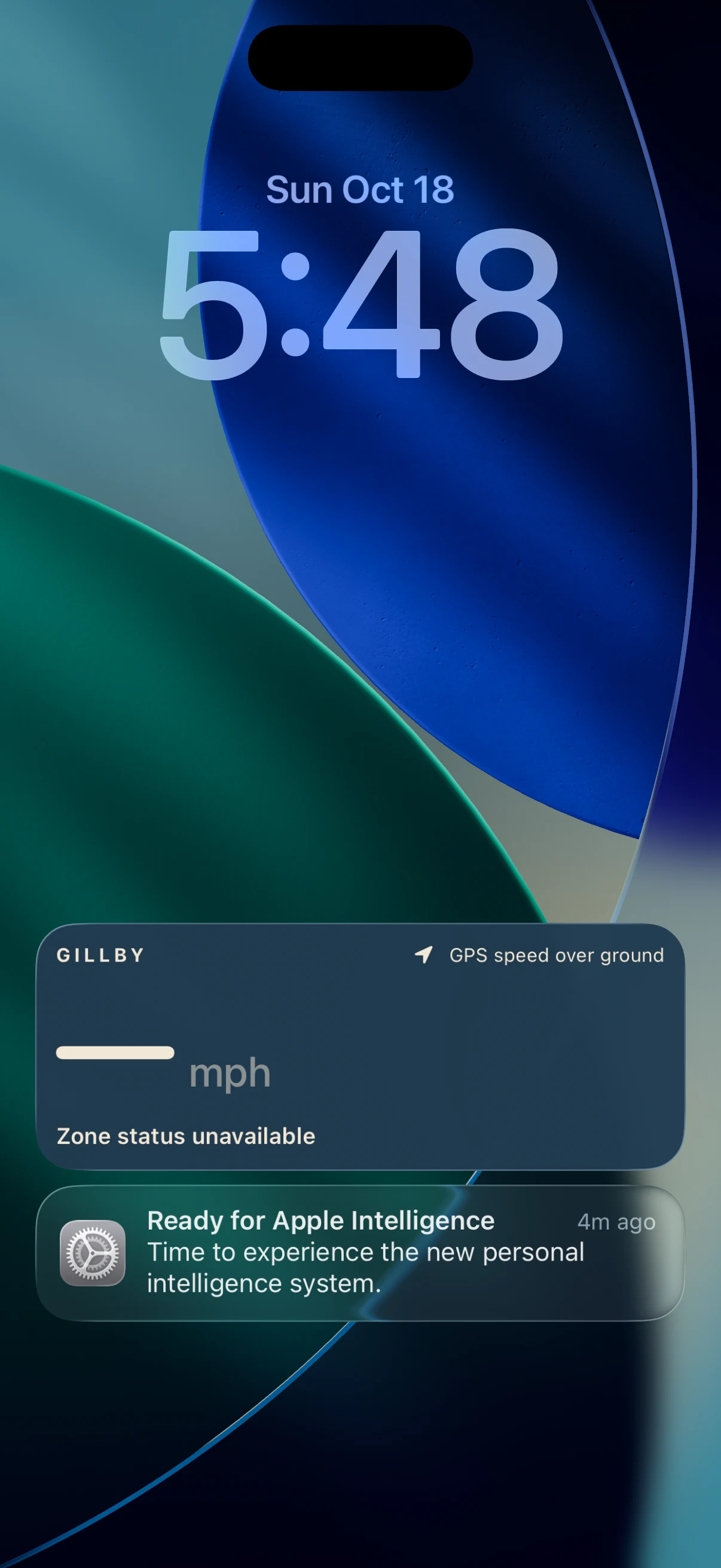
Native development capture · GPS unavailable in this capture. Native apps coming soon.
Explore this feature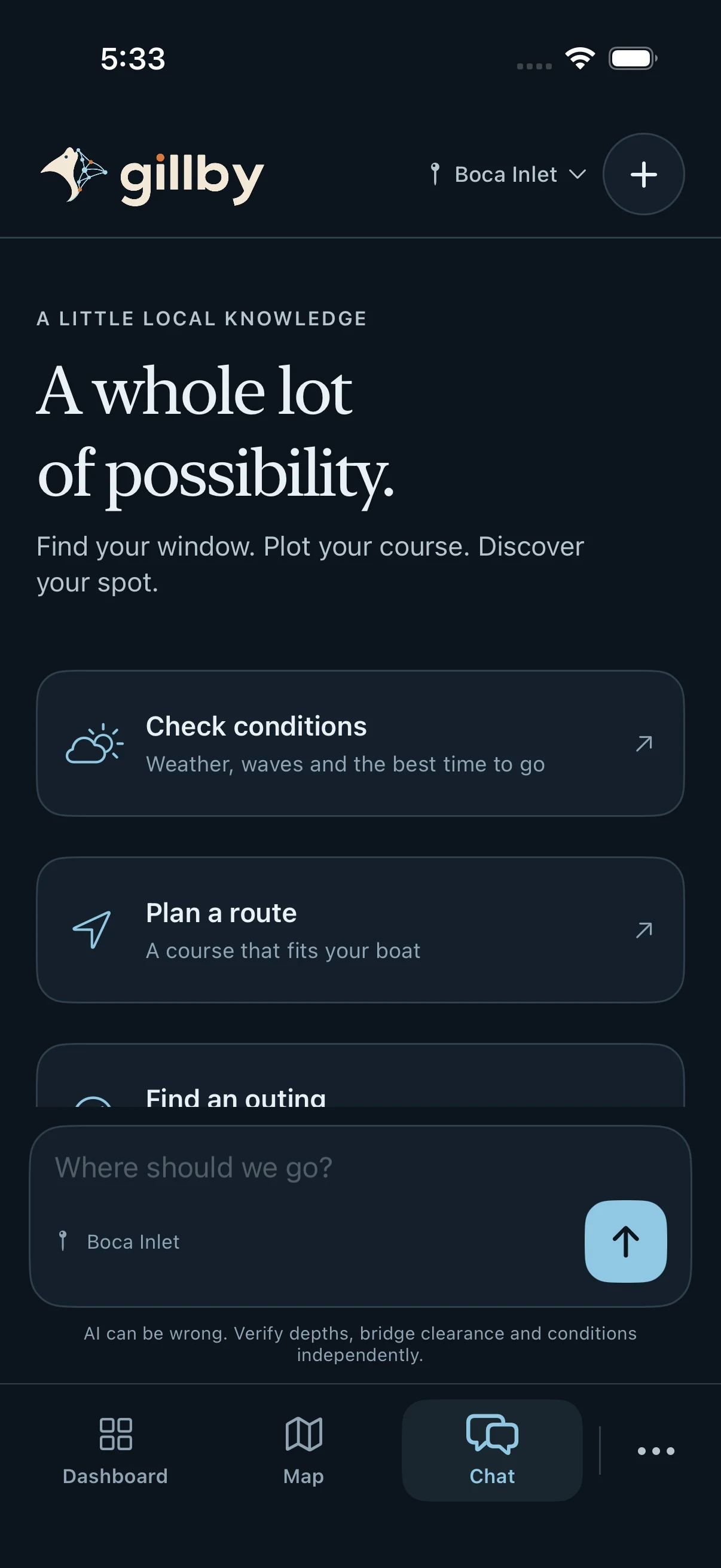
GPS speedometer & boating sessions
Your speed. Right where you need it.
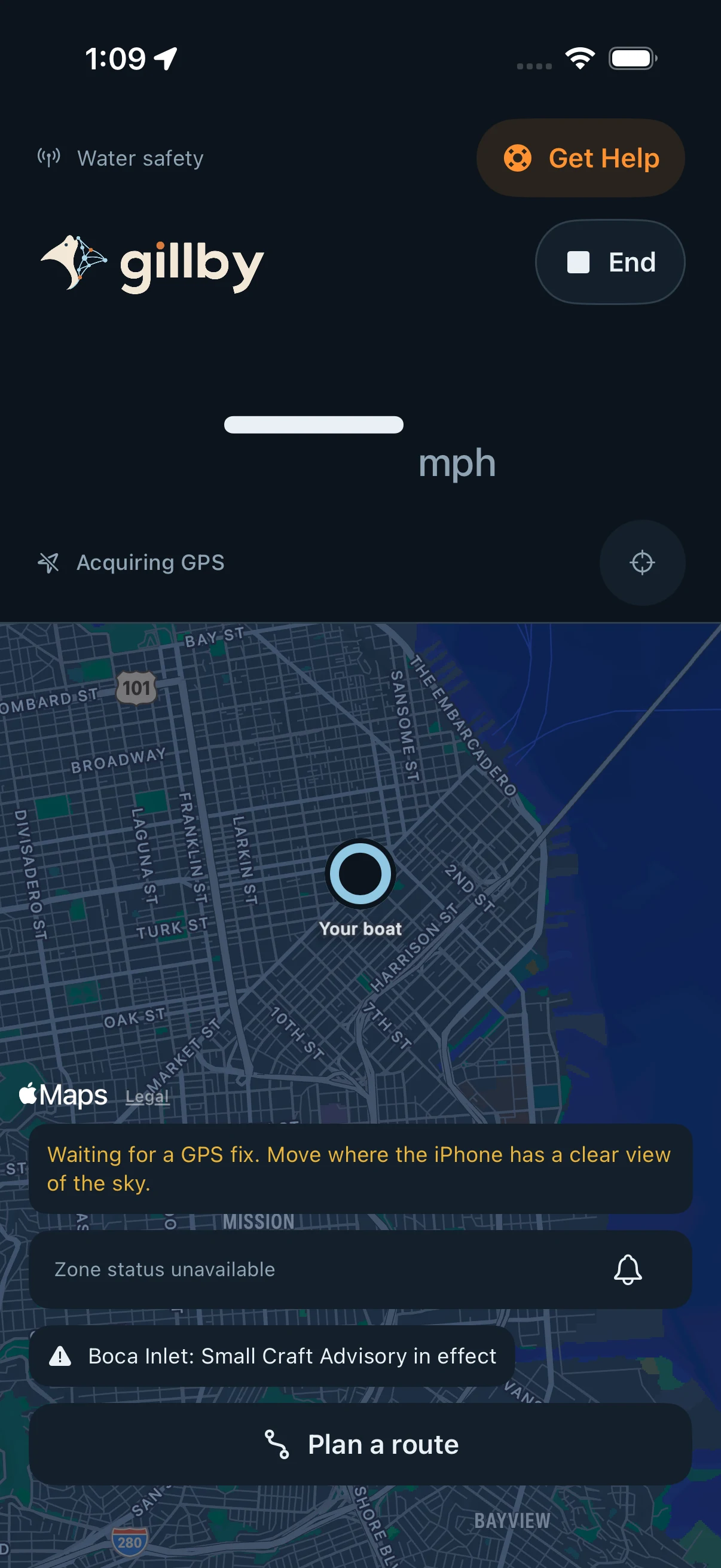
Speed is a core part of Gillby’s on-water experience. Start a boating session to put a large GPS speed-over-ground reading beside your map, track your session’s top speed and keep your movement in context.
Open the web speedometerMake it part of your day.
On the web, start the GPS speedometer with location permission and keep Gillby open in the foreground. Speed over ground comes from your device; weak GPS or an unavailable reading stays visible instead of becoming a made-up number.
The upcoming iPhone experience brings speed into a native boating session, with opt-in background and locked-phone tracking. Live Activities and Dynamic Island put the session within a glance on supported devices.
The upcoming iPad helm combines GPS speed, course, your boat and route controls in a larger display. Apple Watch adds a wrist-level way to check the water and speed where supported.
Use GPS speed alongside local speed limits, no-wake rules, your surroundings and your boat’s instruments. Physical-device testing is ongoing for native releases.
 View full size
 Apple integrations: iPhone, iPad & Watch
Native apps coming soonGillby belongs across your Apple devices.
The Apple experience is a central part of Gillby: an iPad at the helm, an iPhone on the go, conditions on your Home Screen and a quick glance at your wrist. Each surface keeps useful water-day information within reach.
Explore the Apple integrations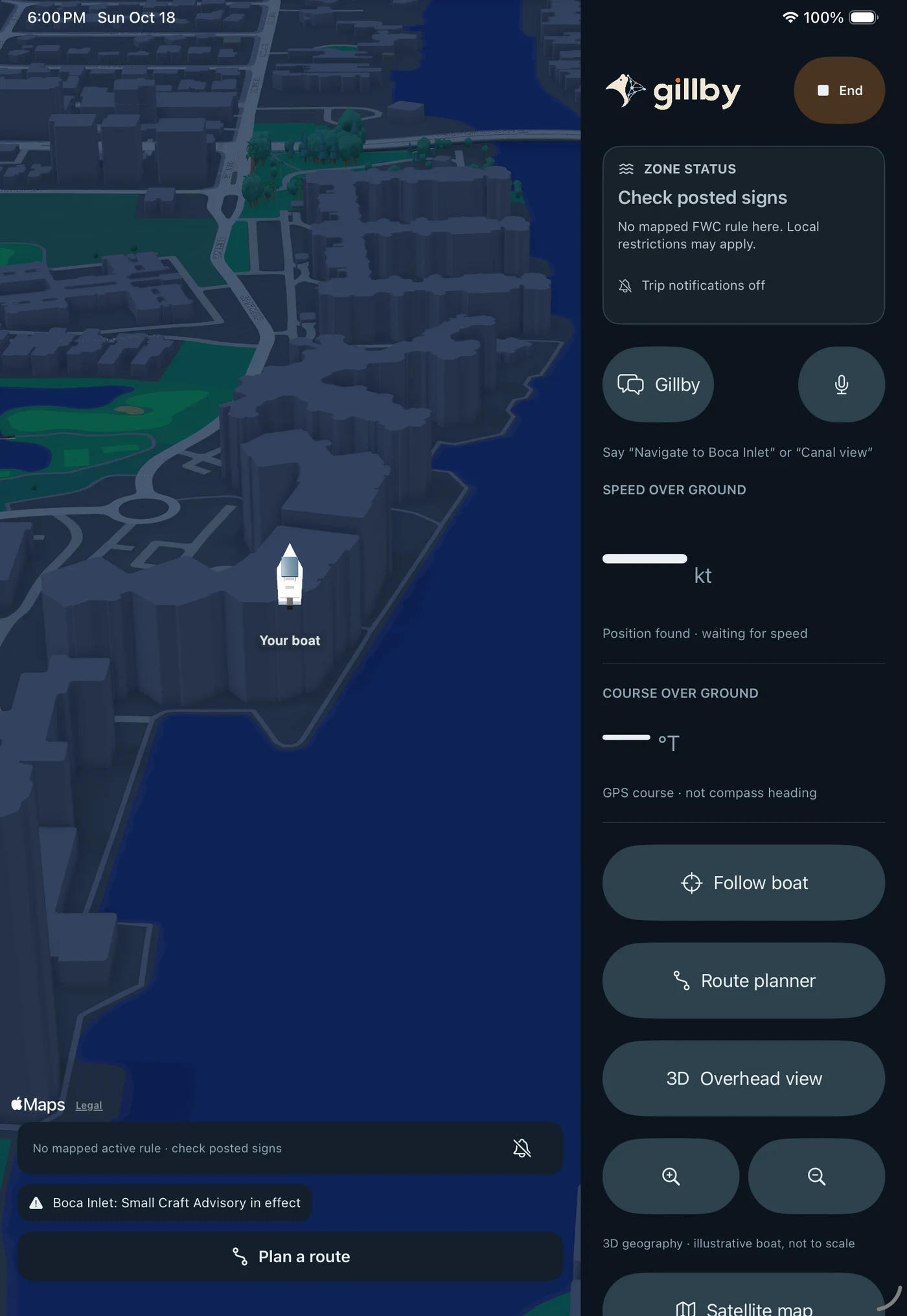
Make it part of your day.
iPhone and iPad: native maps, GPS speed and course, route controls and a dedicated iPad helm display. Start with the web app today while the native releases complete testing.
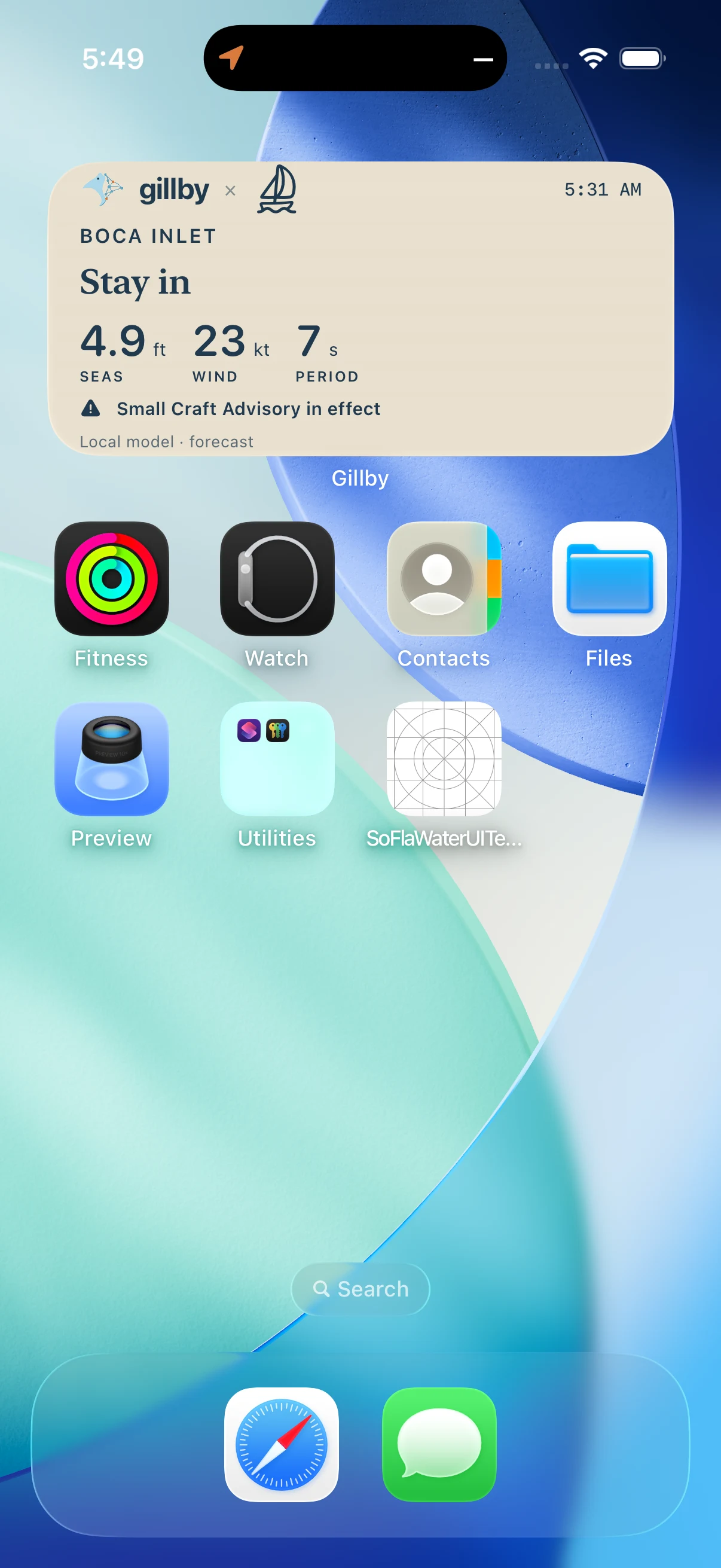
WidgetKit: Home Screen widgets for your waters, wind, seas and marine advisories. iPad’s extra-large widget adds a six-hour outlook and shortcuts to Helm, Route and chat.
ActivityKit: an active boating session can show GPS speed on the Lock Screen and Dynamic Island on supported devices. An unavailable GPS reading remains unavailable.
Apple Watch: a native companion for wind, seas, outlook and marine advisories, with GPS speed access where supported. Siri and Shortcuts actions provide additional ways into Gillby.
Device permissions, OS capabilities and GPS affect what is available. Native app captures show development builds; physical-device verification is ongoing and public releases are coming soon.
 View full size
  View full size
  View full size
 Marine forecasts & ride comfort
Find the hours worth heading out for.
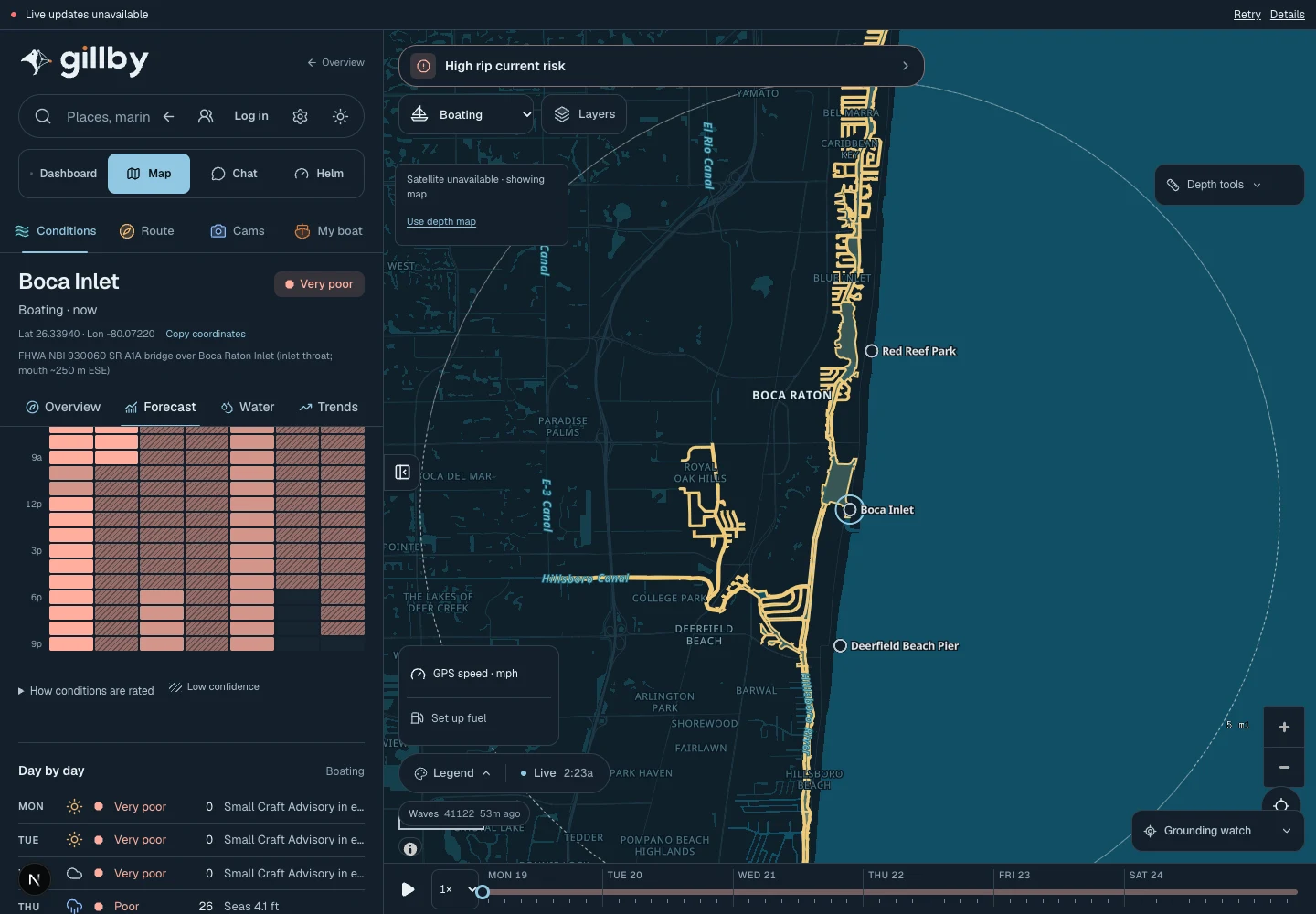
A single wind number rarely tells you what the ride will feel like. Read wind, gusts, wave height, period, direction and tide together, then compare the hours that fit your day.
Compare the forecast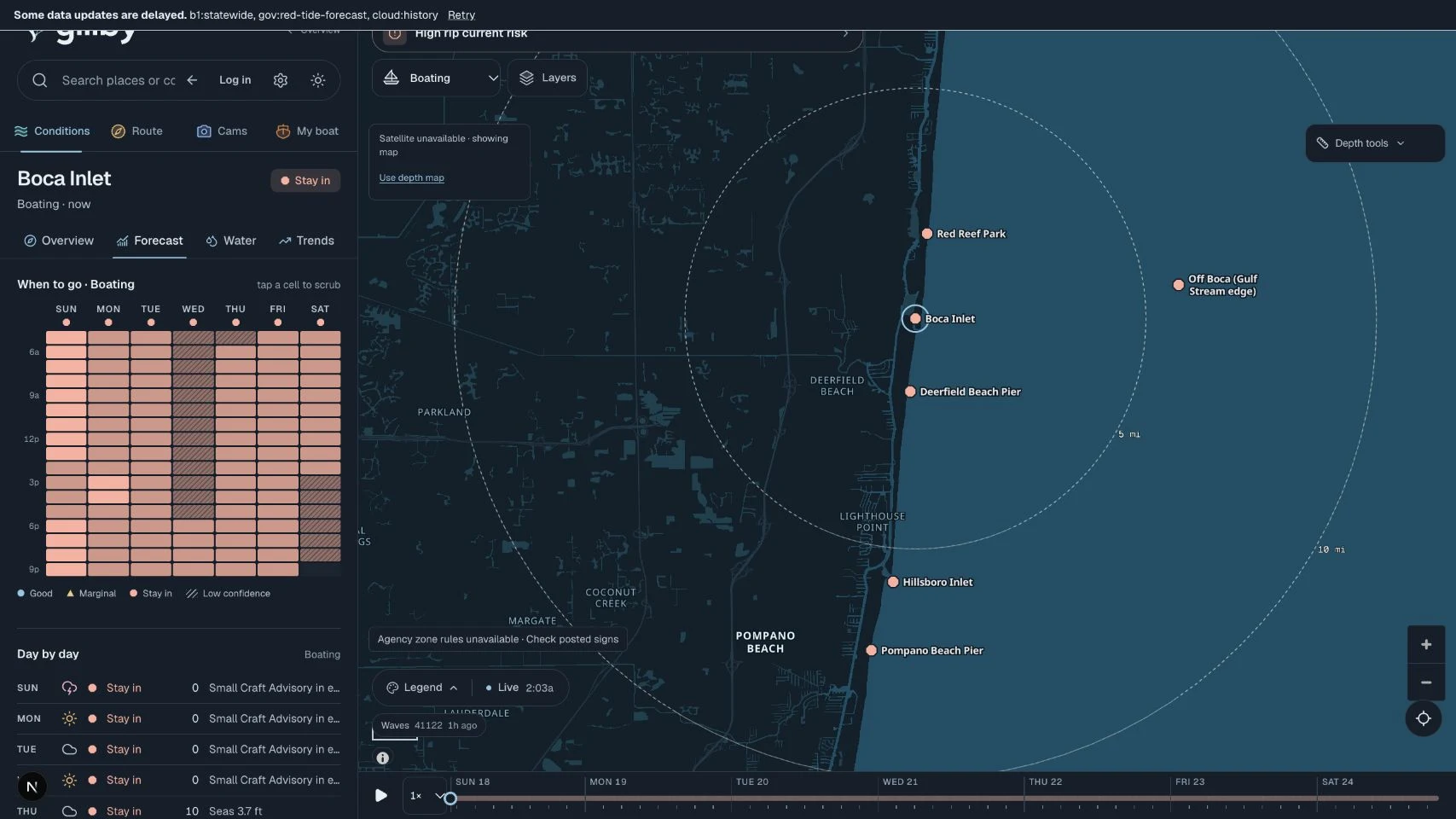
Make it part of your day.
Choose an activity to put the relevant conditions first: a boat run, surf session and beach afternoon need different information.
Add your boat to put ride comfort in context. Choppiness describes modeled conditions for planning; it is not permission to run an inlet.
Keep official marine advisories, source times and missing data beside the forecast. A fresh page does not make every upstream reading current.
 View full size
 Radar, satellite & storm outlook
Watch the sky. Keep a backup plan.
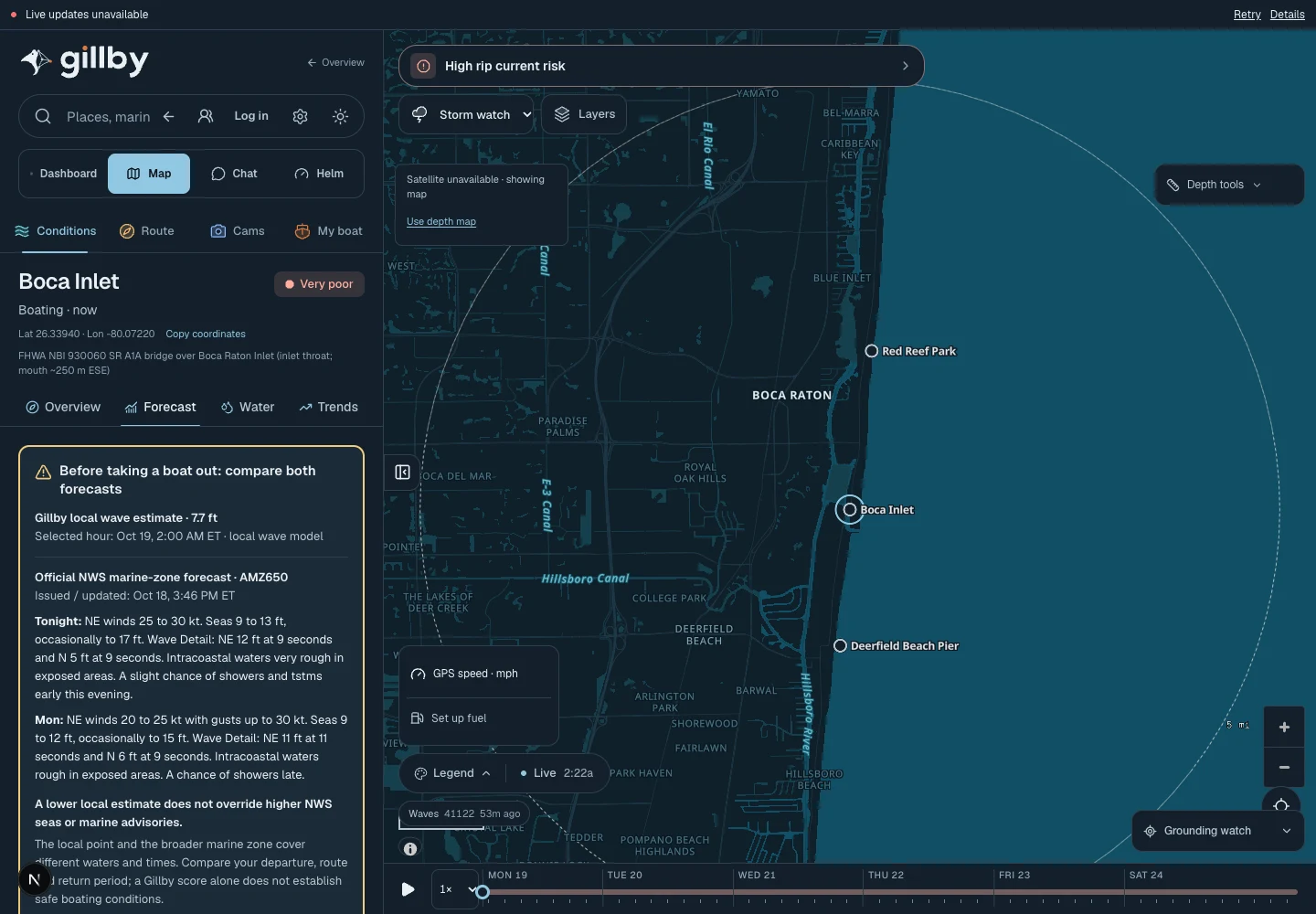
See the broader weather picture without losing your place on the coast. Radar, satellite imagery and hourly rain and thunder forecasts help you decide when to wait, shorten the day or change the plan.
Open Storm watchMake it part of your day.
Use timestamped radar scans to understand observed precipitation. Radar shows what was observed, rather than a guaranteed future storm path.
Explore satellite imagery for coastal context, with its imagery date and source attached.
Read thunder probability, gusts and marine alerts together. An unavailable lightning feed never means there is no lightning.
 View full size
 Water map & coastal places
Find your spot—and the stops along the way.
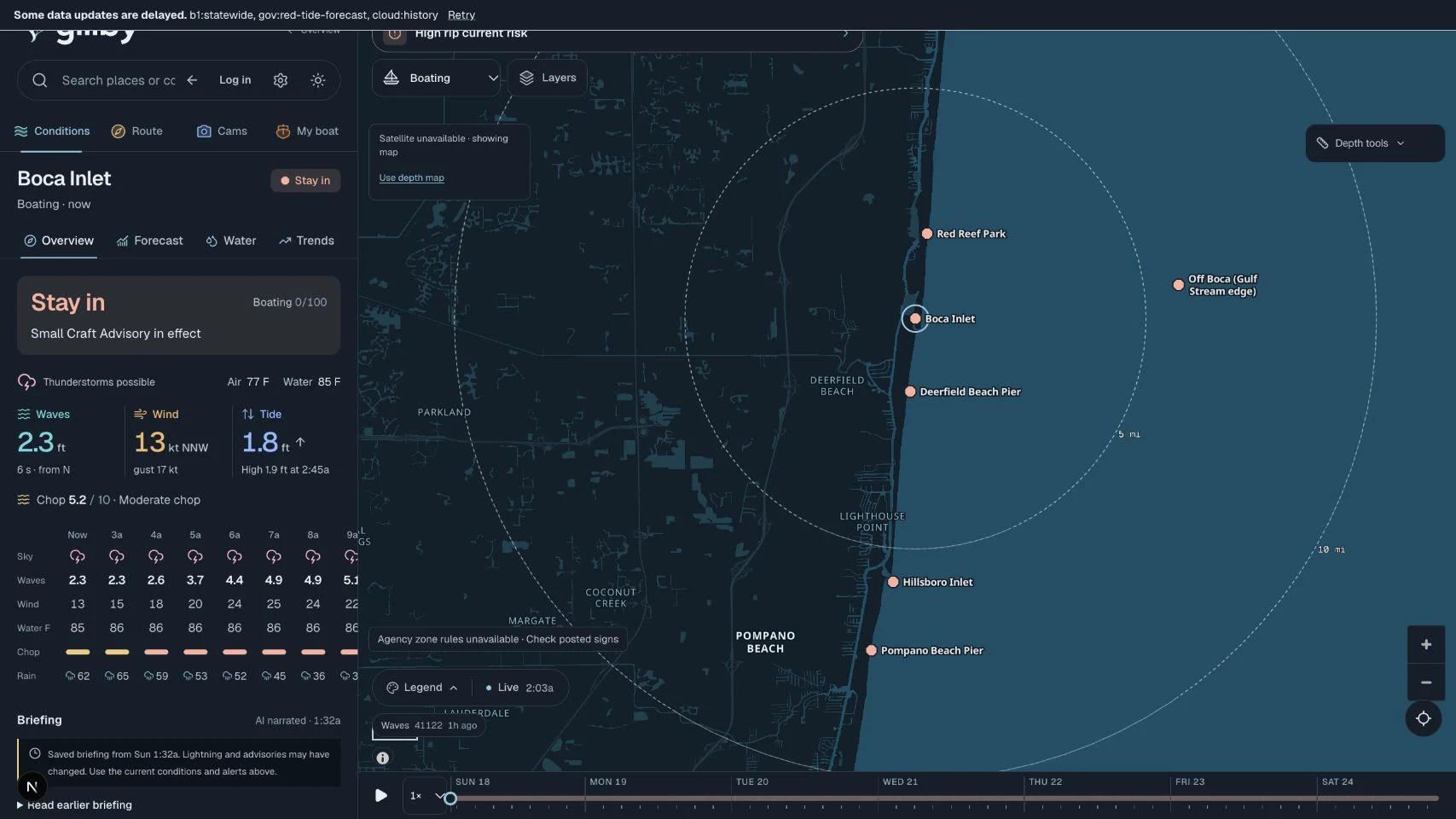
Move from “somewhere on the water” to an actual place. Explore Florida inlets, beaches, reefs, wrecks, ramps, marinas, fuel docks and anchorages in the same map as your conditions.
Explore the water mapMake it part of your day.
Switch activity presets to bring the useful layers into focus instead of rebuilding your map each time.
Open a place for its local context, then check the surrounding water and conditions before making it part of your day.
Save the places you return to in your account. Listings are a starting point; confirm current access, opening hours and fuel availability with the operator.
 View full size
 Depth, tide & bridge-aware planning
Put your boat into the route.
A line across a map is only the beginning. Gillby lets you review a proposed route with vessel measurements, modeled depth, tide-adjusted clearance and reported bridge constraints.
Check a route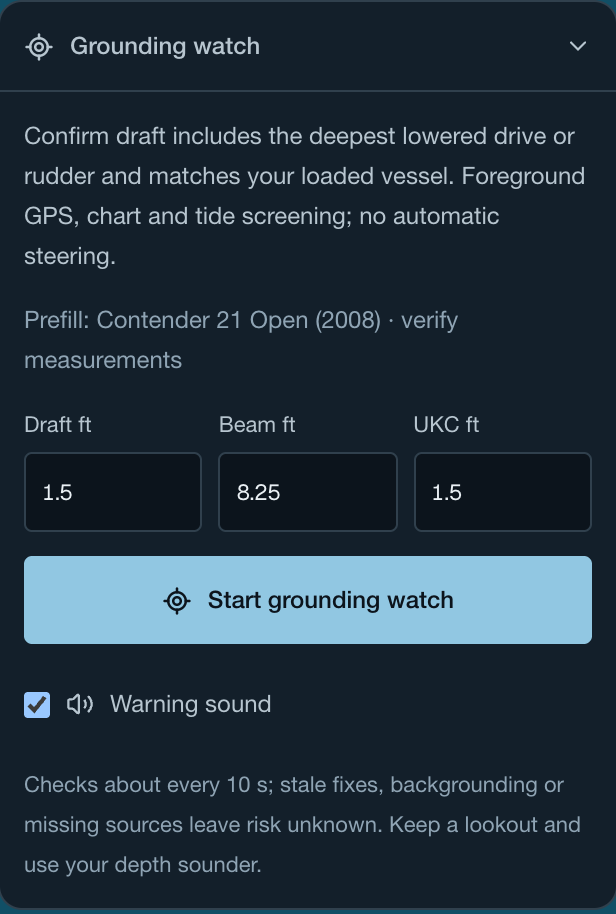
Make it part of your day.
Provide boat draft, air draft, departure time and your clearance margin. Missing dimensions matter; a generic boat is not a substitute for yours.
Review the shallowest reported point, passage status, bridge clearance estimates, weather samples and data gaps. ICW routing offers a different planning option where supported.
Treat depth estimates and grounding watch as extra context. Chart coverage, datums, tides and GPS have limits; verify with official charts, local information and your sounder.
Vessel profiles & personal boat icons
Set up your boat once. Plan with it again.
Make your planning less repetitive. Save your vessel details so future trips can start with your own boat, and give it an icon that looks like it belongs on your map.
Make Gillby yoursMake it part of your day.
Keep the measurements that influence planning in your private vessel profile. Recheck them when equipment, loading or your boat changes.
Use your saved boat with supported account and route tools after sign-in and explicit authorization.
Upload one to three reference photos to generate a custom boat icon. Photos are sent to OpenAI for generation; the generated icon is saved to your account.
Friend finder & location sharing
Find your friends on the water.
Bring your people into the day without making your location public. Send a friend request, connect after acceptance and choose when to share your water location.
Bring your people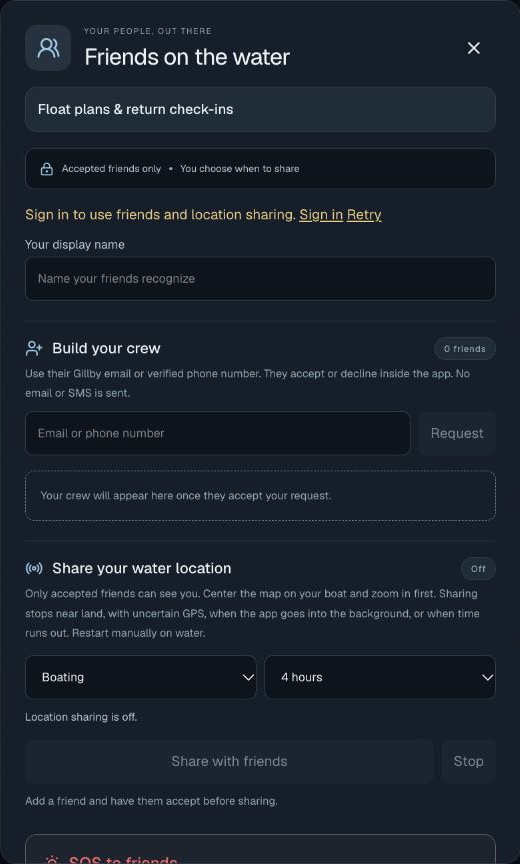
Make it part of your day.
Find a friend using their Gillby email or verified phone number and wait for them to accept the request.
Start location sharing deliberately, for a limited time. Choose when it begins and ends; being friends does not mean permanent tracking.
See sharing friends on the map while the service and their device provide updates. Location can be delayed or unavailable and is not an emergency tracking service.
Saved trips, float plans & return check-ins
Leave more than “we’ll be back later.”
Keep the practical parts of your day together: the vessel, people aboard, route, stops, equipment, departure and expected return. Share a private float plan with the people you trust.
Create a float plan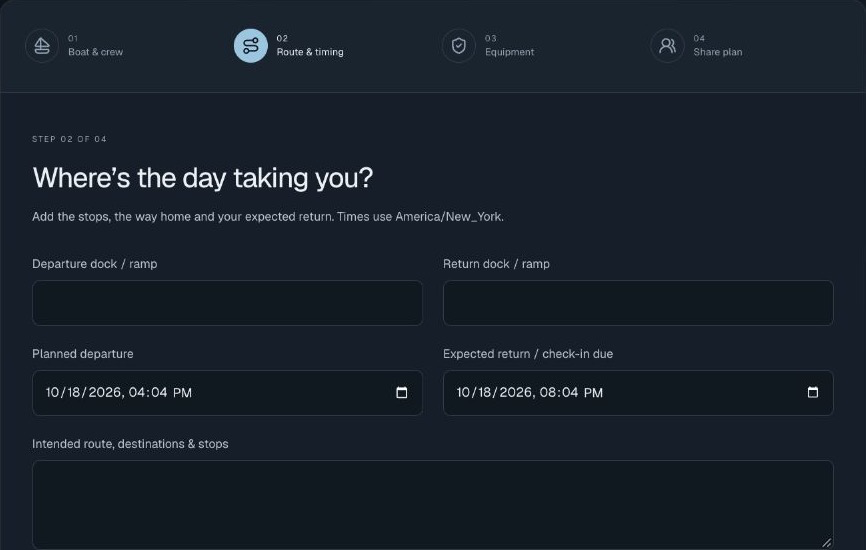
Make it part of your day.
Save your trip details, then recheck conditions and route constraints as departure approaches. A saved plan does not reserve a weather window.
Share a float plan with trusted contacts, see acknowledgments and record your safe return in Gillby.
Use the plan alongside your own communication arrangements. Check-ins are not an emergency service or a promise of rescue or automatic message delivery.
Fishing, diving & marine life
Build a fishing plan around the water.
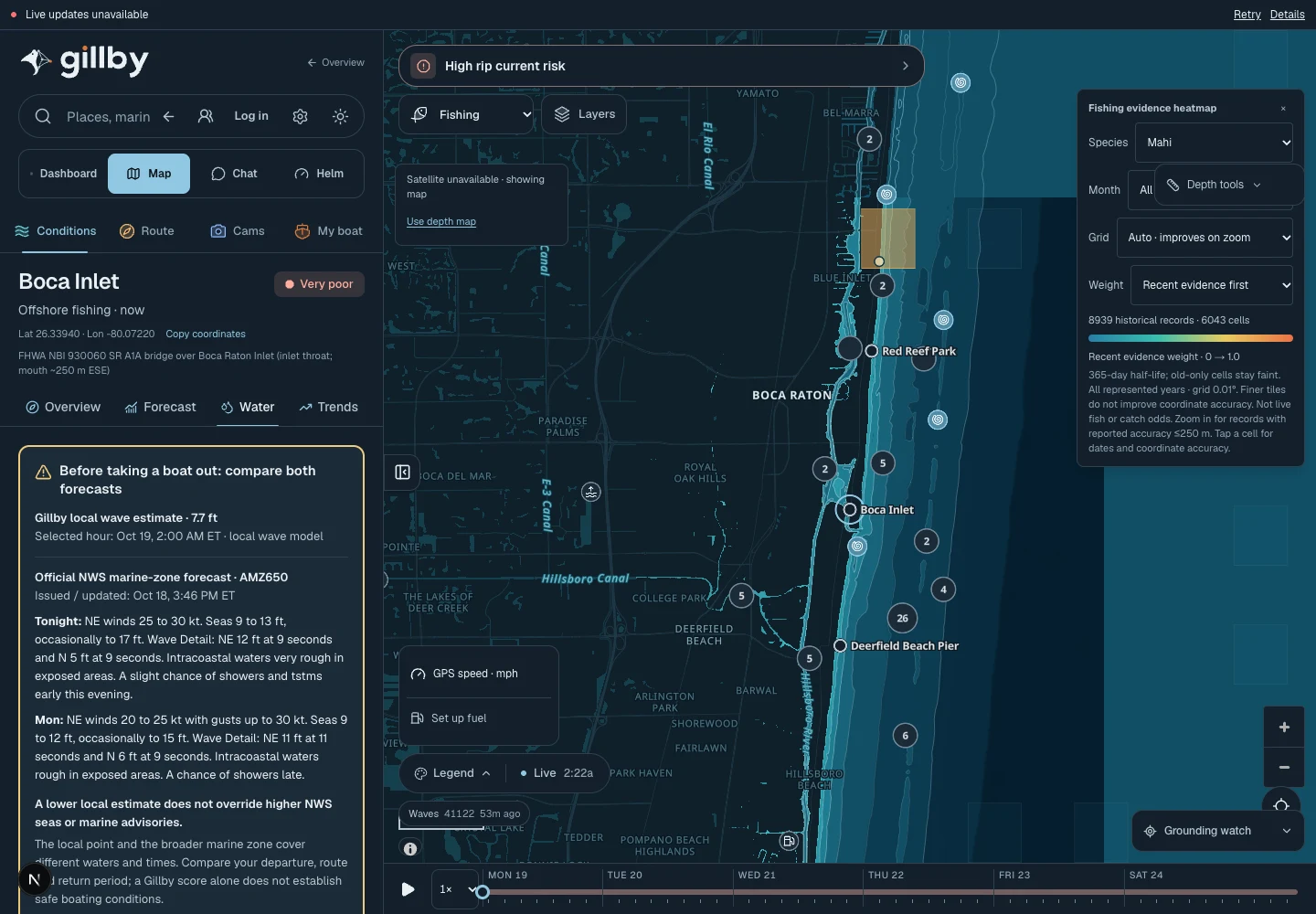
Bring sea state and the underwater picture into the same decision. Explore fishing and dive locations alongside available water temperature, clarity, currents, chlorophyll and Gulf Stream information.
Explore fishing waterMake it part of your day.
For offshore fishing, consider temperature fronts, water color, current and the ride out and back. For inshore plans, look at tides, moving water and nearby places.
For diving and snorkeling, review visibility estimates, waves, currents, temperature, reefs, wrecks and protected-area context.
Shark, jellyfish and other wildlife records are dated observations. They are not live animal tracking or proof that an area is clear.
 View full size
 Surf, swim & water quality
Make the beach plan a water plan, too.
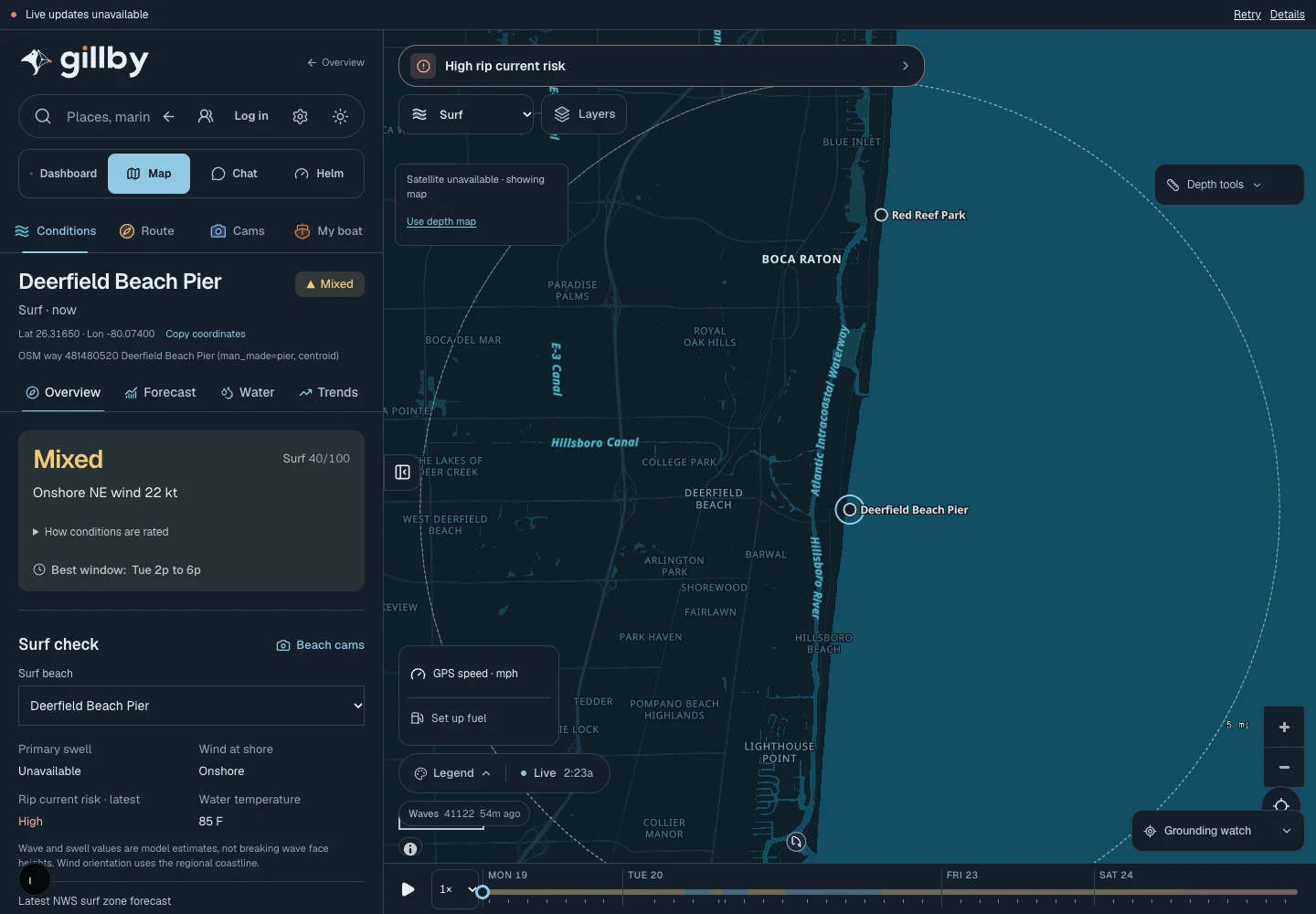
A sunny forecast is only part of a beach day. Read surf, rip risk, beach bacteria advisories, red tide, sargassum and available local observations before choosing where to go.
Check a beach dayMake it part of your day.
Use activity context for surfing, paddling, kiteboarding or swimming. Wind direction and swell period can matter as much as the headline wave height.
Keep sample dates and advisory windows attached to water-quality results. No recent sample is different from a clean-water result.
Review environmental context such as algae reports, canal discharge and coral heat where data is available. Follow official closures, beach flags and local guidance.
 View full size
 Beach & inlet cameras
Take a look before you leave.
Add a visual check to the forecast. Browse available coastal cameras near the water you are considering and use them alongside the measured and modeled conditions.
Explore coastal cameras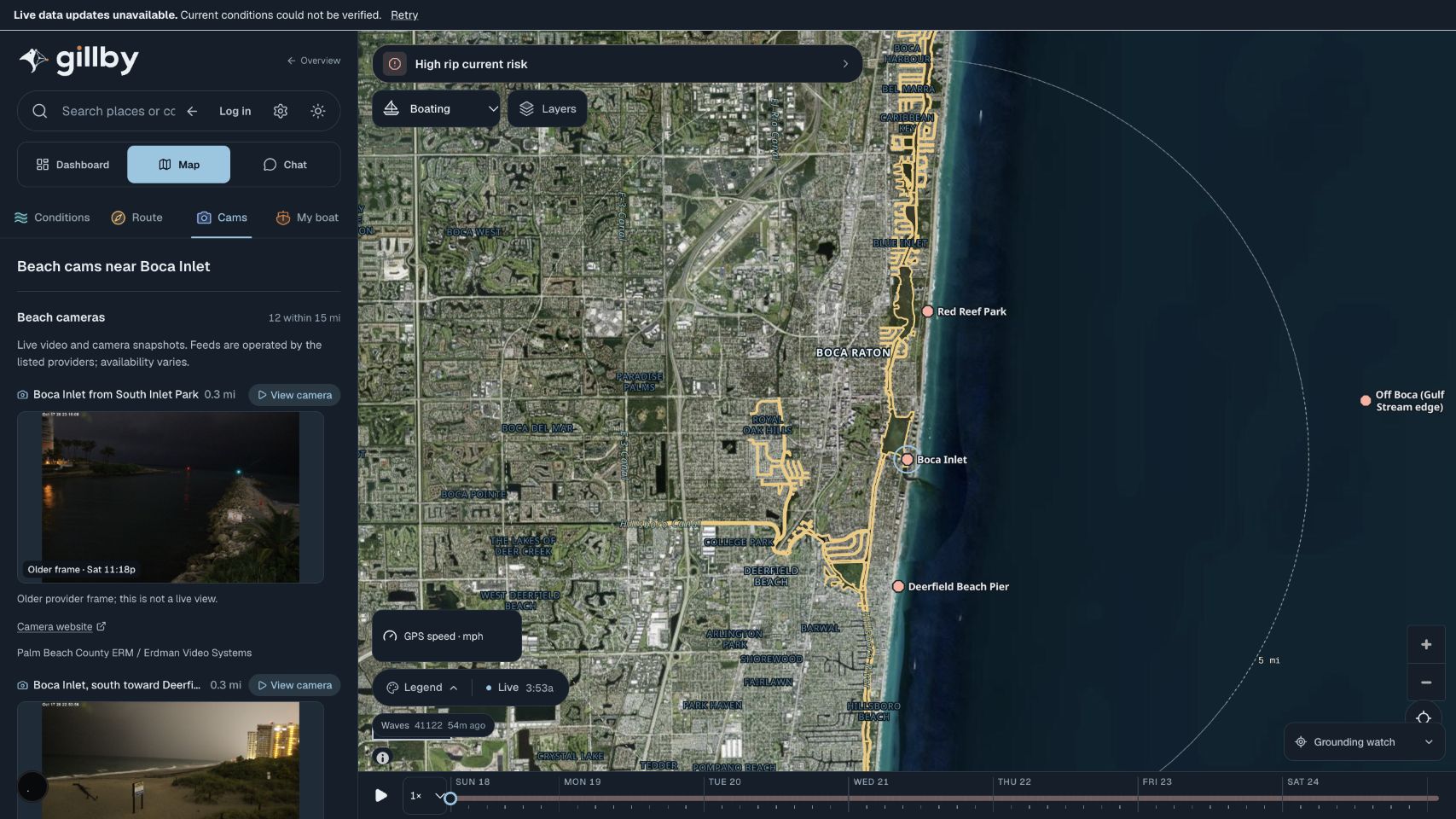
Make it part of your day.
Open a camera near your inlet or beach rather than assuming a distant view represents the same water.
Check the source frame time when available. A newly retrieved image can still contain an old frame.
Camera views can be offline, obscured or delayed. They cannot establish navigation clearance or show every hazard.
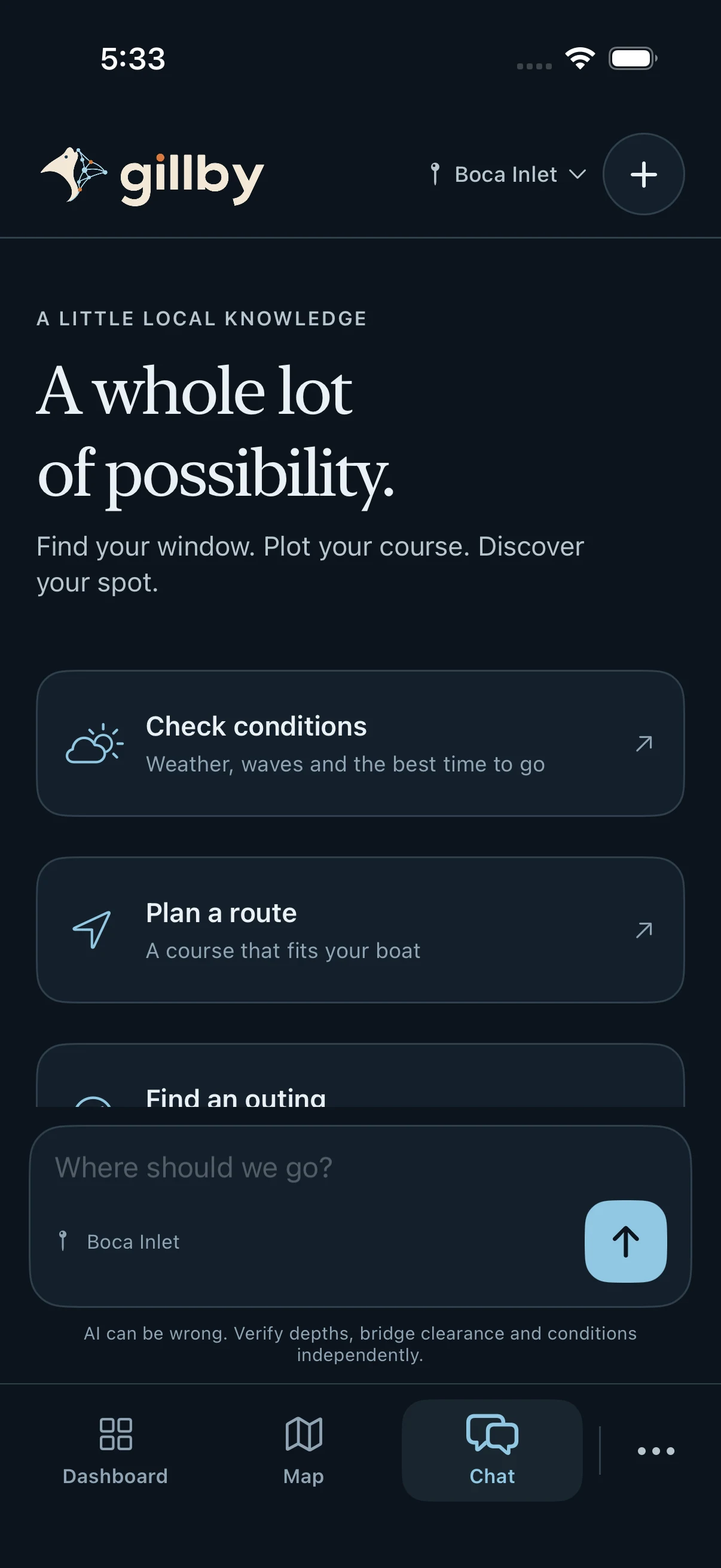
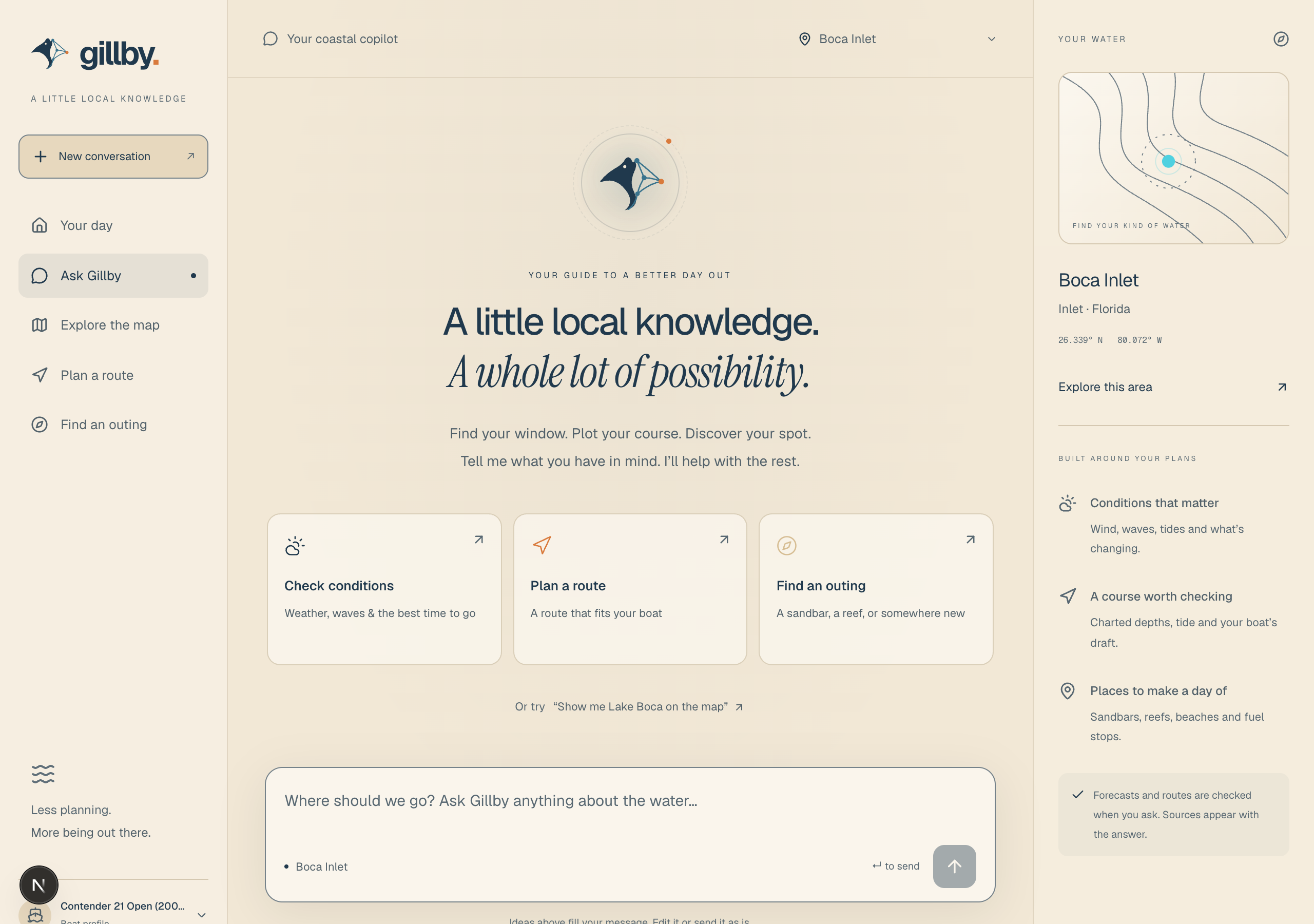
Ask Gillby & AI connections
Ask naturally. Get the water details.
Bring a question instead of a spreadsheet. Ask Gillby about conditions, compare places or work through a trip, with source details and missing information kept in the answer.
Connect your AIMake it part of your day.
Use Ask Gillby in the app, or connect a compatible assistant to the public MCP endpoint. Public marine tools do not require an API key.
Authorize personal account access separately to use your saved boat, places and trips. Review permissions and approve account changes deliberately.
ChatGPT, Claude, Grok Bot and Muse marketplace listings are coming soon. Custom MCP setup is available on compatible accounts today.
 View full size
  View full size
 Android app
Native app coming soonYour water day, on Android.
Gillby’s web app works on compatible Android browsers today. A native Android app is coming soon, with release details to follow as development and testing progress.
Use Gillby on the webMake it part of your day.
Use the web map now to explore places, forecasts and Gillby’s available planning tools. A native Android app is not required to start.
Web location tools require permission and work while Gillby is open in the foreground. Device and browser capabilities affect GPS availability.
The native release has no confirmed launch date. Features and device support will be announced with the release rather than promised ahead of testing.
Garmin integration
Coming soonAnother way to bring Gillby aboard.
A Garmin integration is on Gillby’s roadmap. It is part of the plan to bring your water-day information closer to the devices you use aboard.
Explore Gillby todayMake it part of your day.
The integration is coming soon; it is not available in the current Gillby release.
Supported Garmin devices, connection methods and capabilities will be confirmed as the integration is developed and tested.
No release date is confirmed. Use the Gillby web app for the features available today and check back for release details.
Spotify integration & player
Coming to iPhone & iPadYour water day. Your soundtrack.
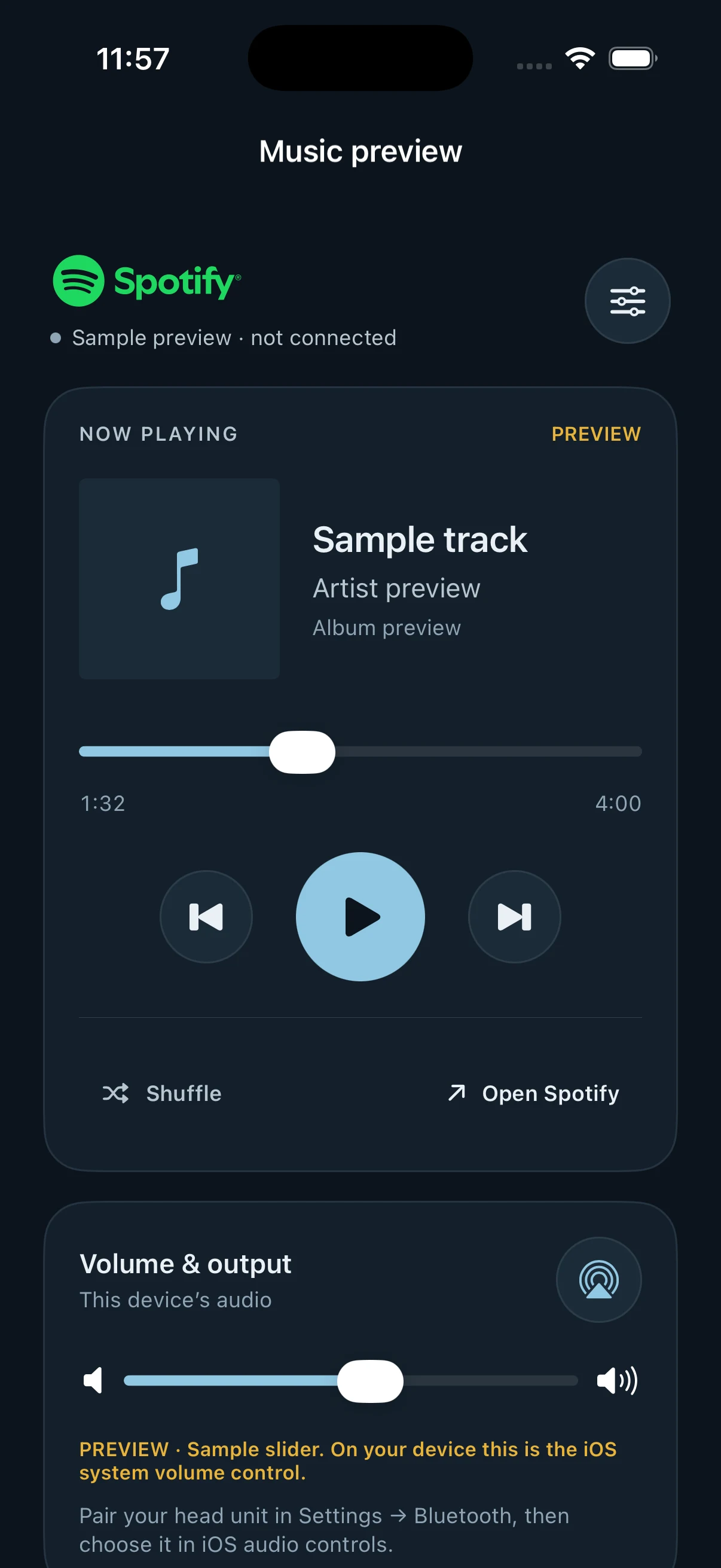
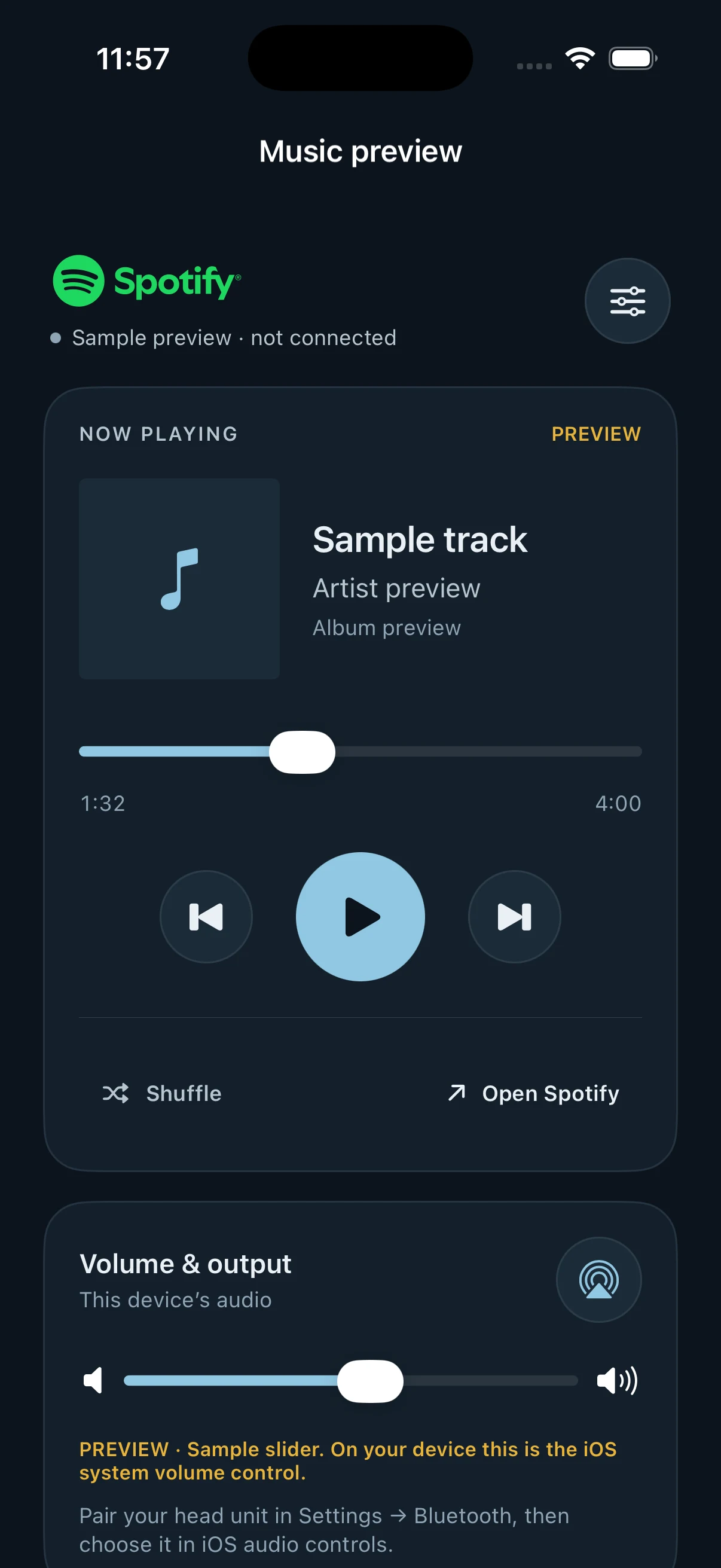
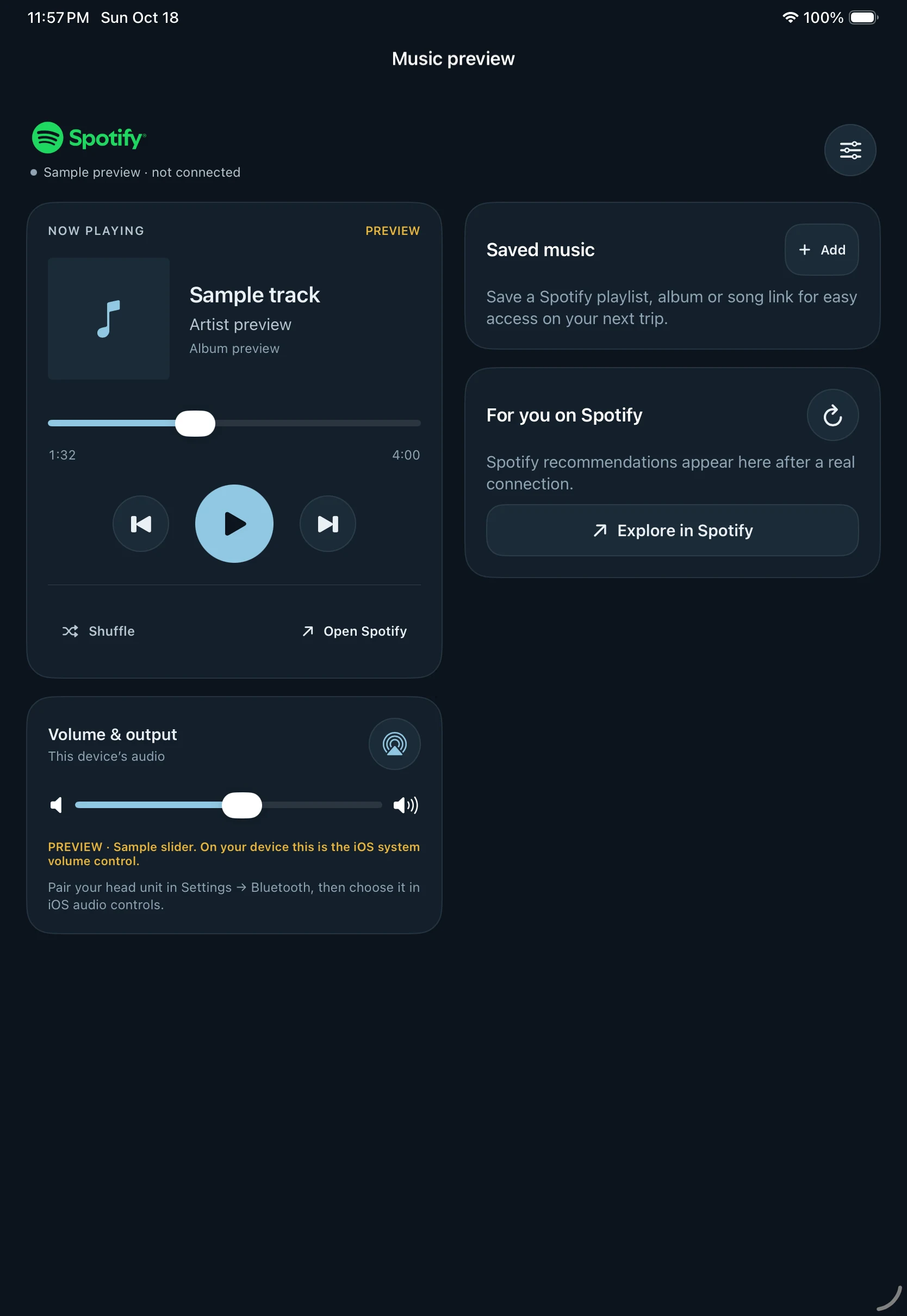
Keep your soundtrack close to the day’s tools. The upcoming native player brings Spotify artwork, Now Playing, playback controls, For You recommendations and saved music links into Gillby.
Preview the playerMake it part of your day.
Connect the Spotify app and your account on the playback device. On-demand playback requires Spotify Premium.
Use the device’s audio route to play through compatible connected boat audio. Gillby does not control your amplifier’s gain, EQ or hardware.
Public availability is subject to Spotify access approval and native-app release. The landing-page player is an illustrative preview.
 View full size
  View full size
 Your next water day starts here.
Create a free account to save your waters, add your boat and bring the plan together.
Make it yours